 FarmMap
Tractor GPS for Android
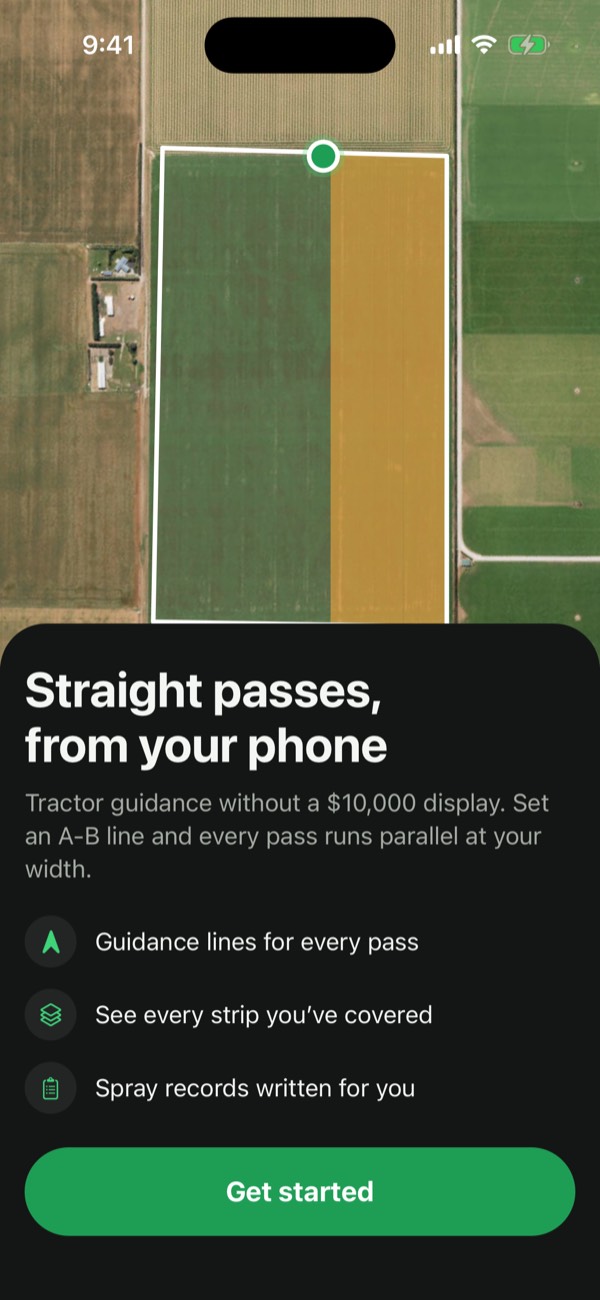
Straight passes,
from your phone
Tractor GPS guidance without a $10,000 display. Set an A-B line, follow the lightbar, and see every strip you’ve covered.
Get it on Google Play- 7-day free trial
- No account needed
- Phone GPS or a Bluetooth RTK receiver
How it works
One line, then every pass after it
Put the phone where you can see it, pick your implement width, and drive.
Set A
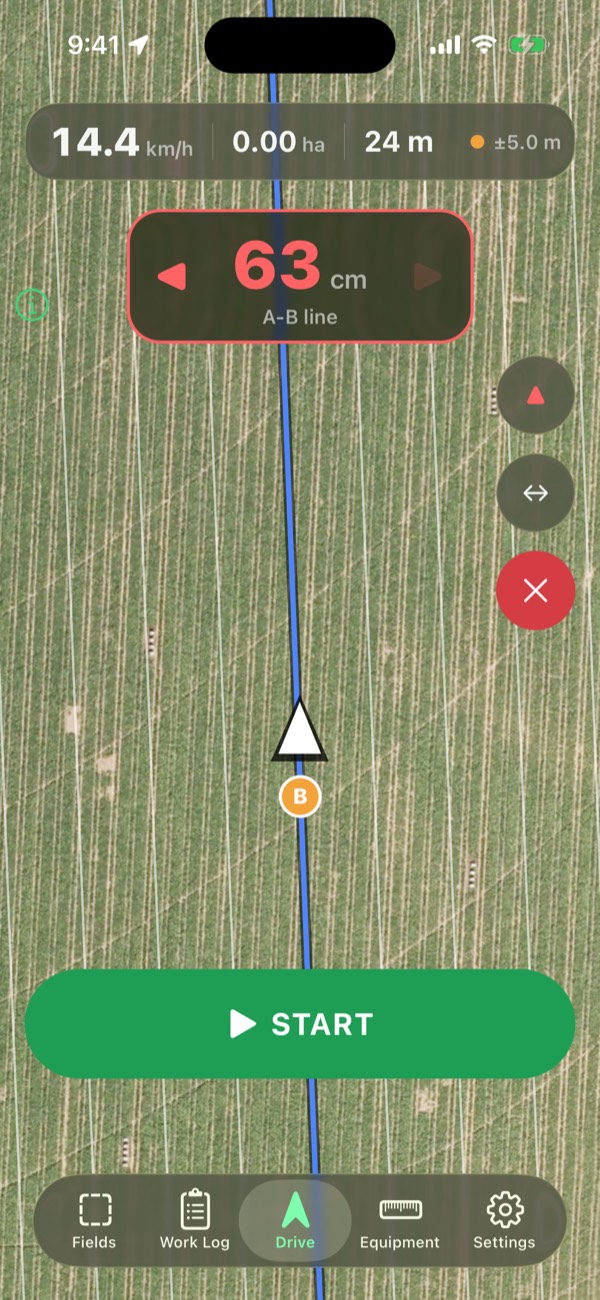
At the start of your first pass, tap A.
Drive, then set B
Drive straight along the pass and tap B. FarmMap lays parallel passes across the paddock, one implement width apart.
Follow the line
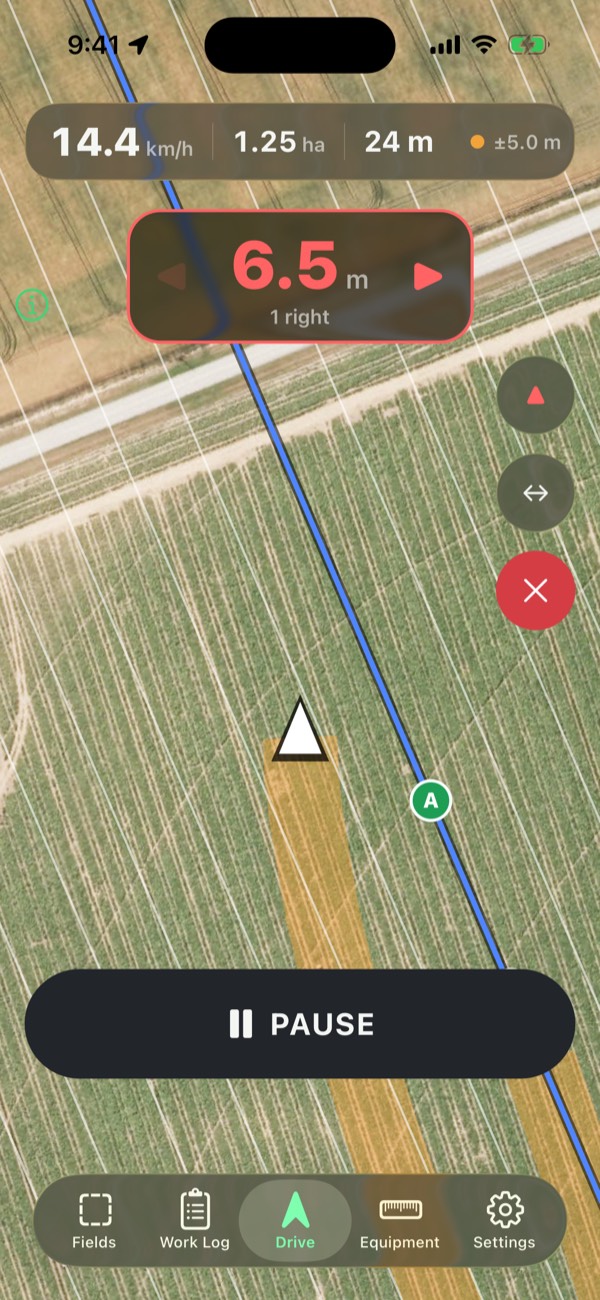
The lightbar shows how far off the line you are. Coverage paints behind you as you drive, and any overlap shows red.
- Your pass
- Ground covered
- Overlap
Guidance
Know how far off the line you are
A big lightbar sits at the top of the screen with the distance off line and an arrow to steer by, readable at arm’s length in a bouncing cab.
- Straight, curve and pivot. A-B lines, curves that follow the path you drove, and rings around a centre pivot.
- Coverage as you go. See every strip you’ve worked, the hectares or acres done, and overlaps in red.
- Bluetooth GPS and RTK. Use the phone’s GPS, or connect a Bluetooth receiver for steadier lines. RTK gives centimetres.
Fields
Map the paddock once
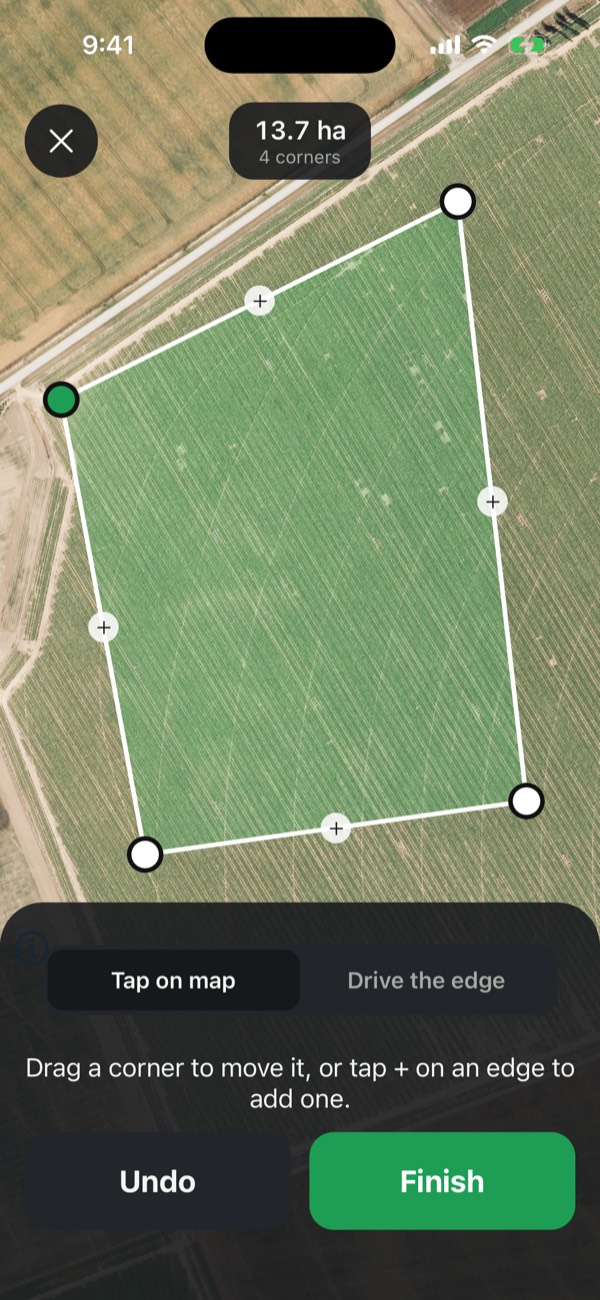
Draw a field on the satellite map from the kitchen table, or drive around its edge. FarmMap works out the pass direction with the fewest turns.
- Draw or drive the edge. Tap corners on satellite, drag them to adjust, and see the area as you go.
- Fewest turns and headlands. Pick a pass direction by the number of turns it costs, and add headland laps for turning.
- Offline maps. Download a field’s satellite map on Wi-Fi, then guide with no signal in the paddock.
Jobs and records
Plan the job, keep the record
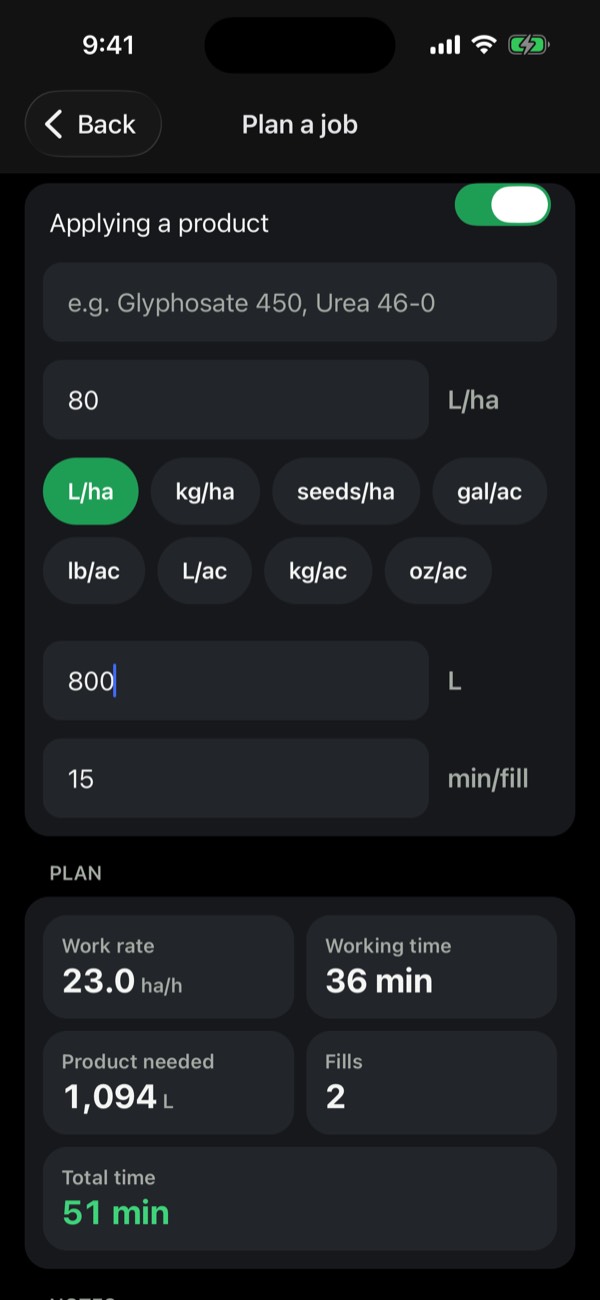
Before you start, see how long the job will take and how much product it needs. When you finish, the record is already written.
- Job planner. Product needed, number of fills and working time, from your rate, tank size and speed.
- Spray and fertiliser records. A one-page PDF with the map, area, product and rate, plus KML and CSV for other software.
- Work log. Every job you’ve done, by field and date, with its coverage map.
The details
Made for the cab
Share GPS to a tablet
Use a tablet as a big screen in the cab. The phone sends it its position over Bluetooth, like a receiver would.
Your language
English, Portuguese and Spanish, with metric or imperial units.
No account
Nothing to sign up for. Your fields and records are stored on your phone.
Readable in the sun
Large buttons, a dark screen for early starts and Sun mode for midday glare.
Pricing
Try it free for 7 days
Every feature is in both plans. Start with the free trial and cancel anytime in Google Play.
Yearly 7 days free
Free for 7 days, then billed yearly. That’s about US$7.50 a month.
- Straight, curve and pivot guidance
- Coverage and overlaps as you drive
- Fields, offline maps and spray records
Monthly
Billed monthly, no trial. Good for a single season.
- Everything in the yearly plan
- Cancel before the next month to stop
Prices are in US dollars. Google Play shows the price in your local currency before you subscribe. Subscriptions renew automatically until you cancel in Google Play › Payments & subscriptions › Subscriptions; cancel at least 24 hours before the trial ends and you won’t be charged.
Questions
Good to know
Does FarmMap steer the tractor?
No. FarmMap is visual guidance: it shows you where the line is and how far off it you are, and you steer. It doesn’t connect to autosteer.
How accurate is phone GPS?
Phone GPS is typically good to a few metres, which suits spreading, spraying and slashing with a wide implement. For steadier lines, connect a Bluetooth GPS receiver; an RTK receiver gives centimetre accuracy.
Does it work without mobile signal?
GPS doesn’t need signal. The satellite map does, so download it for each field on Wi-Fi before you go, and guidance and coverage work with no signal in the paddock.
Which phones does it run on?
Android phones with GPS. Mount the phone where it has a clear view of the sky, such as on the windscreen.
Do I need an account?
No. There’s nothing to sign up for. Your fields, jobs and records are stored on your phone.
How do I cancel?
In the Google Play app, tap your profile picture, then Payments & subscriptions › Subscriptions › FarmMap › Cancel subscription. Cancel at least 24 hours before your trial ends and you won’t be charged.
Straighter passes this season
On Android. Free for 7 days.